
Selection Button No.3
Change setup parameters
This can be called up either by clicking on the icon or via the menu <Setup>, <Setup Default Settings>. Select the file tab Configuration. The programming parameters are provided with default values. If this default is to be changed or the setting is to be checked, then this section is of importance.
Binary Code output of the SSI data in binary format beginning with 225 (MSB)
Gray Code output of the SSI data in Gray Code format beginning with 225 (MSB)
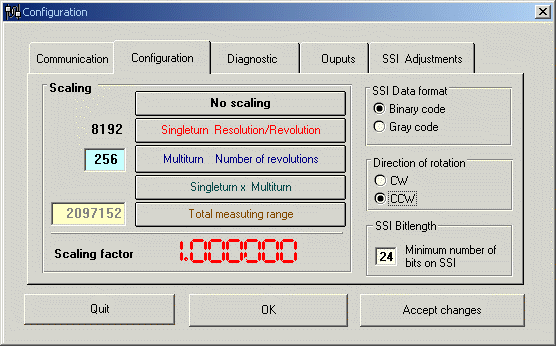
Clicking on the <Accept Values> button results in the changed data being taken over into the memory, so that all the subsequent parameters may be updated. The window is n o t closed.
The <OK> button has the same function as <Accept Values>, but in addition the window is closed.
<Cancel> undoes entries and closes the window.